

Automate your network analysis

Teams managing OOH delivery networks face a recurring analysis question. Until now, that work couldn't be saved and reused, which made it hard to scale analysis across a growing network.
Why rebuild the same analysis every time? And how does the whole team stay aligned on it?
The repetition problem
These checks get run over and over: which locations are underperforming, which are overloaded, which barely see any volume. Each time one of these questions comes up, the process starts from scratch.
Without a repeatable process, the outcome depends on who's doing the analysis that week, and how much bandwidth they have. Locations stay live, or overloaded, not because that's the right call, but because nobody had time to check.
Set the logic once, run it whenever you need it
- Start from the right dataset. Build a workflow on your current network, to evaluate locations you already have, or on a points of interest collection, to assess partner candidates, competitor sites, or anywhere outside your existing footprint.
- Narrow down to what matters. Filters let you isolate locations by distance, performance metrics, or any custom attribute you track, like payment type or partner status.
- Handle two outcomes in a single run. With If/Else branching, a workflow can treat matching and non-matching locations differently in one pass, instead of requiring two separate analyses.
- Decide what happens next. Add a pin to flag locations for review, tag them to categorize results on the map, or disable them to model the impact of removing them, all without touching your live network.
Once published, a workflow is available to the whole team, along with a description of the filters it applies, the action it takes, and what it's meant to simulate. So anyone running it later understands the reasoning behind it, not just the result. Because the logic stays the same between runs, results stay comparable too, whether you're rechecking the same area next quarter or comparing it against another one entirely.
A closer look: handling overloaded locations
An overloaded location isn't always the same problem twice. Sometimes the fix is redistributing volume to nearby locations that have room to spare. Other times, there's nothing nearby to lean on, and the real question is where a new location should go.
One workflow handles the first case: filter your current network for any location running above a utilization threshold, then tag the results. Save it once, and running it within any area analysis tags the overloaded locations there, so checking a different delivery area later means running the same workflow again, not rebuilding it.
.png)
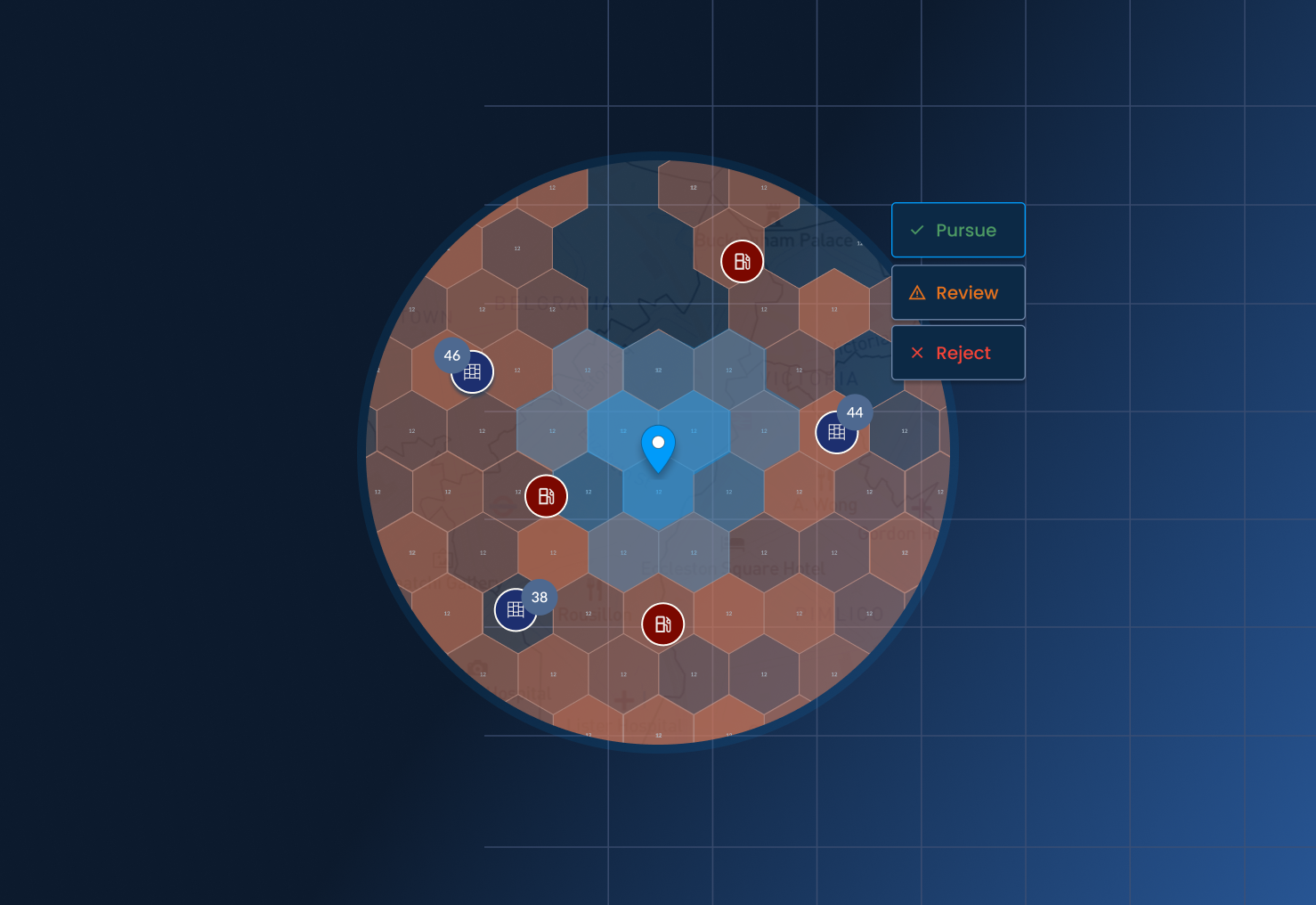
A second workflow handles the case where there's no nearby capacity to redistribute to. It first identifies the overloaded locations in your current network, then compares a collection of candidate sites, like potential partner locations, against them with a distance filter, and pins any that fall within range. That turns "we probably need something around here" into an actual shortlist to evaluate.
Same underlying signal, an overloaded location, but two different next steps, depending on what's actually there to work with.
More ways to use Workflows
The example above is one use of Workflows, but the same building blocks apply to other recurring jobs, like:
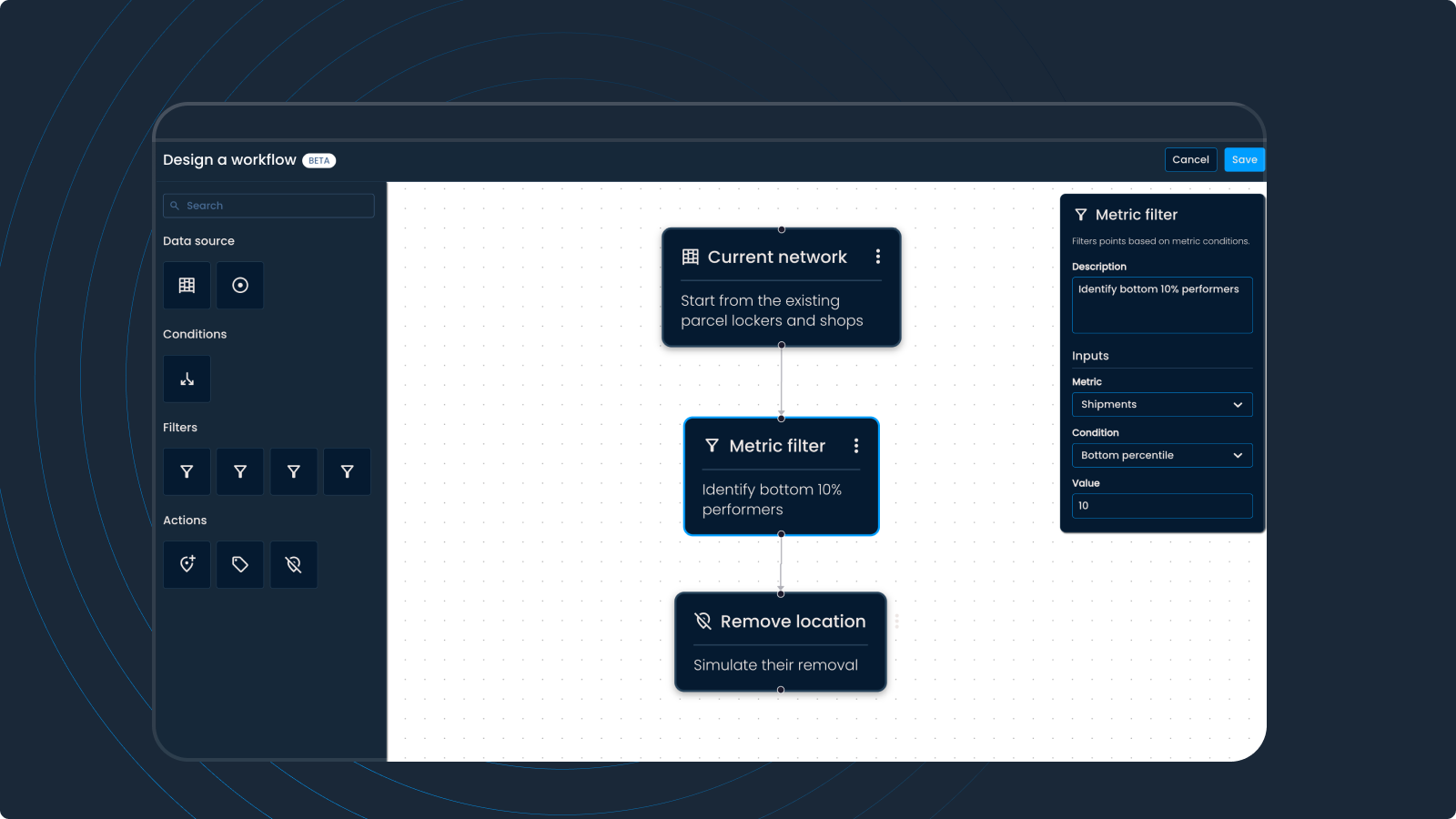
- Finding low performers. Filter your current network for the bottom percentile by collected shipments, then disable the results to model the impact of removing them, all without touching your live network.
- Tagging partner candidates. Mark locations that meet your criteria so they stand out on the map without altering your network.
- Flagging low-utilization locations for manual review, without disabling them outright.
- Applying different actions to different segments in a single run, using If/Else, such as tagging locations above a coverage threshold while disabling the ones that fall short.
If it's a repeatable task, it's probably worth turning into a workflow.
Ready to get started?
Workflows turn one-off analysis into something your whole team can rely on and reuse. Get in touch and see how Workflows can save your team time on the work you're already repeating by hand.


.png)